Thursday, February 16, 2012

What has been my personal experience with the new iPhone?

I was asked about my experience with the iPhone 4S yesterday in a message, and this is the reply I gave - I bought an black iPhone 4S 32Gb model. White is available and is nicer for ladies. You need the 32Gb as it films in high definition and that uses a lot of space. You can sync an iPhone 4S to a Mac or P via cable or to the Apple iCloud when you're not near a computer. This is a cool feature and allows sync between all your Apple devices. Check out www.icloud.com 

If you are really going bush, then you need to be with Telstra, otherwise you're fine with Vodafone or Optus. I prefer Vodafone as I get very good performance since they have done their upgrades. A year ago it was a different story, but now they're good.

The plan I am on is the Vodafone Infinite Plan 50, which allows me to call any number in Australia, landline or mobile for any amount of time. 13 and 1800 numbers are charged and come out of the $50. This is the best plan I have ever been on. They even gave me a bonus 1Gb of data on top of the included 500Mb, although I don't know if this is an ongoing deal.

Here is a link to the Infinite plans, I am on the $50 one at the top and it seems enough. http://shop.vodafone.com.au/all-plans?id=900013

The handset cost over the term of the 24 month contract is $20 a month, very fair making the phone cost $480. The 16Gb version is only $3 less at $17pm so go for the 32Gb.


So your total cost per month inc data and phone is $70 total, and the only thing you have to watch is you don't go over the $50 on the 13 and 1800 numbers. 1900 number are chargeable of course.

The iPhone 4S is the best business phone on the market, not just because of features but because Android phones, and they may have one of two better features, are open source operating system and therefore still vulnerable to malware. Apple's iOS is closed architecture and you don't need to run a virus program (I don't think they even make one), and it is just an elegant, businesslike smartphone with a great camera, and a good feature set that also happens to have a iPod built in - bonus!


And then of course there's the many accessories you can buy for it if you know where to look. Here's some of them in one pic that I compiled just this week.


Monday, February 6, 2012

Find Your Lost iPhone

I just lost my iPhone. It was somewhere in the house, and even when I rang it from my landline, it didn't ring long enough for me to locate it. It was well and truly misplaced.


Fortunately, I had installed the Find My iPhone app on it, so I was able to go to the iCloud website, and send it a message and make it play a continuous sounds until I found it. This worked, and I found it quickly.


The app also lets you find your iPhone when it's much farther away too, as it uses GPS. It has three options and the first is to send it a message and play a sound. The second is to lock the phone. And the third, which is very useful if you think the phone has been stolen or lost for good, is to remotely wipe all data, so the whoever has it can't access any of your personal information.


This app is free and required iOS5 and you can use it on other iOS devices or from a computer. It's an essential rather than a luxury as I have just proved to myself.


Click here to go to the apple site to find out more: Find My iPhone


Sunday, January 1, 2012

So you're thinking of an iPhone 4S, and wonder if Siri is worth it?

Want a new Smartphone for New Year's? The iPhone 4S and Samsung Galaxy SII are almost identical in many ways except one. The iPhone 4S has Siri, which is more than just voice control, it is an intelligent assistant that works well most of the time. I find it extremely useful and easy to use. You can do a lot of tasks without even touching the keyboard or unlocking the phone, so do yourself a favour and try it before you make your next phone choice!


Check out a video of how Siri works!


Wednesday, December 14, 2011

Is the new iPhone 4S worth the upgrade?

Today I became the proud owner of a shiny, new black iPhone 4S with 32 Gb of memory. It does everything they say it will with really great 8 megapixel pictures and auto flash, high definition videos and many new apps. It also includes Siri voice control which is a much enhanced version of previous voice control functions in the iPhone, and that actually works, at least most of the time. I wait eagerly for the day when voice control is as good as it is on Star Trek, but that's a while off yet. 


To think that less than ten years ago, my primary desktop computer had much less memory and power than this small and magic mobile device is amazing. I like Apple devices, and I always have - they have made one or two mistakes along the way, but this new iPhone is terrific, and it is a beautiful piece of engineering! It has all the functions that a business person would want. It also has the creative ability that allows you to make beautiful pictures, videos and sounds, and it has the reliability of the Apple OS and the App Store, which means it you don't tinker with it, you can enjoy a safe and secure mobile environment with little to no fear of viruses and malware.


The dual core processor, which is the much the same as in the iPad2 make for a much faster experience than previous models, so you may wonder, who should upgrade?


If you were like me and had come off contract with an iPhone 3GS after two years, it's a no brainer. My new contract with handset actually costs me $15 less per month, and I could and may sell my 3GS handset if I wished. If you are still on contract with an iPhone 4, and are getting good results, then wait out out your contract unless money is not a issue for you. Some iPhone 4 users have had reception and dropout problems due to the antennae positioning and contact with your fingers. This can mostly be solved by using a case or a bumper, but has also been an issue which the carriers have addressed with new and better towers, and continue to work on.


The iPhone 4S addresses this particular issue with two separate antennae at different ends of the phone, and the signal switches to the best one automatically. I still recommend a case or bumper, as even the new ones still are manufactured with a toughened glass composite back as well as a glass screen, so you really don't want to drop it on a hard surface without protection. There's some great looking cases available either at the Apple Store and or online. I use an Australian supplier in Adelaide who deals in very affordable iPhone accessories, and have found him quite reliable over a long period. Their website is www.tdu.highwire.com and is worth checking out. Postage within Australia is usually free as well.


There were rumours that this year we would have seen the release of the iPhone 5. It now seems very likely that an iPhone 5 will not be released until after mid 2012 and the specs aren't even known as yet, so you all can be sure that this is a significant upgrade, especially for those with a 3GS, and if you want great quality photos and good speed, then I'd recommend it highly!


Thursday, December 8, 2011

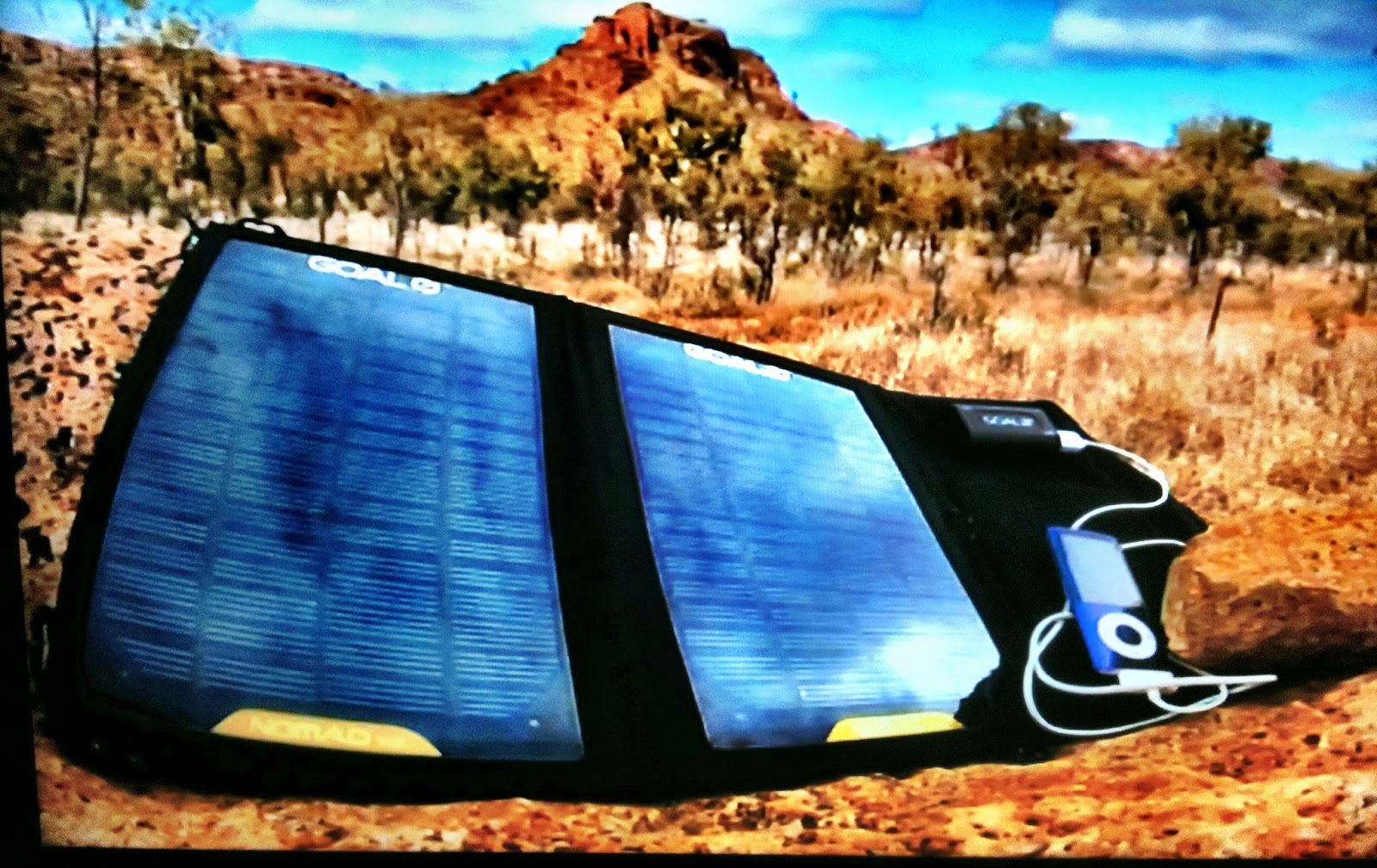
Charging Your Phone From The Sun!

You can now get a Nomad Solar Phone charger from Mitre 10. Good when you're away from power like camping or hiking. Or maybe when you lose house power for an extended period of time. It either lays out flat, or you can wear it like a backpack while hiking. It seems to have a USB outlet so should work with iPhones,  iPods and other phone brands as well. At $99, it's a real good buy!


Wednesday, December 7, 2011

Video Email for iPhone

I've been using Eyejot video email on my PC for a long time now to send video emails to friends and colleagues. It's a way to give a personal touch to email that words can't achieve. I was pleased to see that Eyejot has been released for the iPhone and is available at the App Store now.

One of the cooler functions of the iPhone version of Eyejot is that you can store up to 5 video business cards that have your contact details attached to them as text. It seems like a great way to give someone your business card in a way that won't get lost somehow, but will be there in their email.

Haven't tried it yet on the mobile, but am looking forward to using this new technology in the next few days. Apparently  you can make a high quality video with a camcorder and upload it to use in your video business cards.

I've often said that words alone are sometimes insufficient, and pictures and video add a whole new dimension. Now, with programs like this and fast computer bandwidth like ADSL2+, this form of communication is now a reality for most people.

You can download Eyejot from the App Store on your phone or from this link. It does cost $4.49 but that's about the same as a good cup of coffee, so try it out. The PC version is free, but limited to 60 seconds unless you upgrade.


Here's the App Store download link: http://itunes.apple.com/us/app/eyejot-video-mail/id480595295?mt=8

Monday, July 4, 2011

How to Save Contacts from your iPhone to your PC

Even if you back up your iPhone regularly, it is still very difficult to access your contacts from the PC should your phone be out of action for a while. I found an App called Export Contacts which allows you to export your phone list in PDF format, and your entire contact data file in either Outlook or CSV (Excel readable) formats.


Your contacts are often your business and are so very important, and this a way to ensure that they are always available. Here is the iTunes link to Export Contacts and a screenshot. I highly recommend this app!